
Knowledge SuperBox S8
SuperBox S8 AI Voice Command Setup Remote Pairing [2026]





To set up and use AI voice commands on your SuperBox S8, you need to pair your remote via Bluetooth by holding down the OK and Home buttons together for five seconds until the status light flashes, then select RC-200 in the Bluetooth settings menu.
Once paired, simply press and hold the microphone button to instantly tune into any live channel, search movies by actor or title in Blue VOD, or adjust volume without typing on an onscreen keyboard.
If your voice commands are not responding, the remote is likely still in basic infrared mode, has low AAA batteries, or requires microphone permissions in Android settings. This practical guide walks you through pairing your remote, essential voice shortcuts that actually work, and quick fixes for common voice errors.
Quick answer: The SuperBox S8 AI voice system lets you control your TV box hands-free without pointing directly at the console. To activate voice commands, pair the remote via Bluetooth in Android Settings. Once connected, hold the blue microphone button while speaking channel names, movie titles, or volume requests. If voice input stops working, re-pairing the remote with the OK + Home shortcut or replacing weak AAA batteries resolves over 90% of issues immediately.
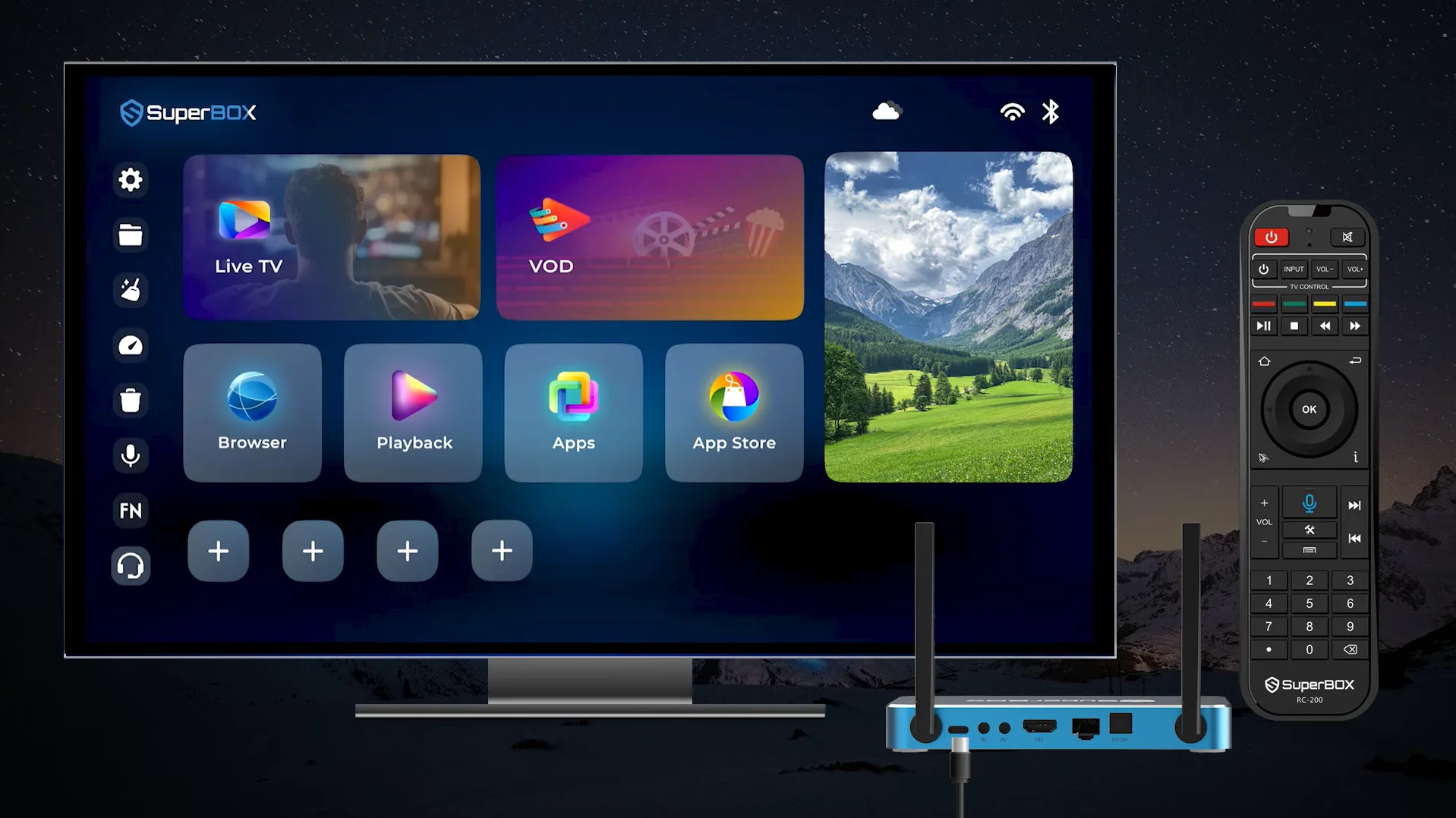
How the SuperBox S8 AI Voice Command Architecture Works
Understanding how voice recognition operates helps you get higher accuracy and faster response times when speaking into the remote. The SuperBox S8 remote features a dedicated microphone opening positioned near the top edge of the controller. When the voice button is pressed, the remote wakes up its internal audio converter and streams clear digital voice audio to the console via Bluetooth.
The onboard system processes this incoming audio through an integrated voice engine. Rather than sending raw audio over slow external servers, the system analyzes the phonetics against an indexed database of media titles, broadcast station names, and system commands.
If you are inside the Blue TV application, the voice processor prioritizes live broadcast channel numbers and network call signs. When browsing Blue VOD, the query routes through movie titles, cast names, and genre categories.
This contextual routing ensures that speaking a command like ESPN opens the sports broadcast instantly rather than performing a generic web query. The entire processing cycle takes less than a second when connected to a standard home broadband network.
Step-by-Step Bluetooth Pairing Guide for the RC-200 Voice Remote
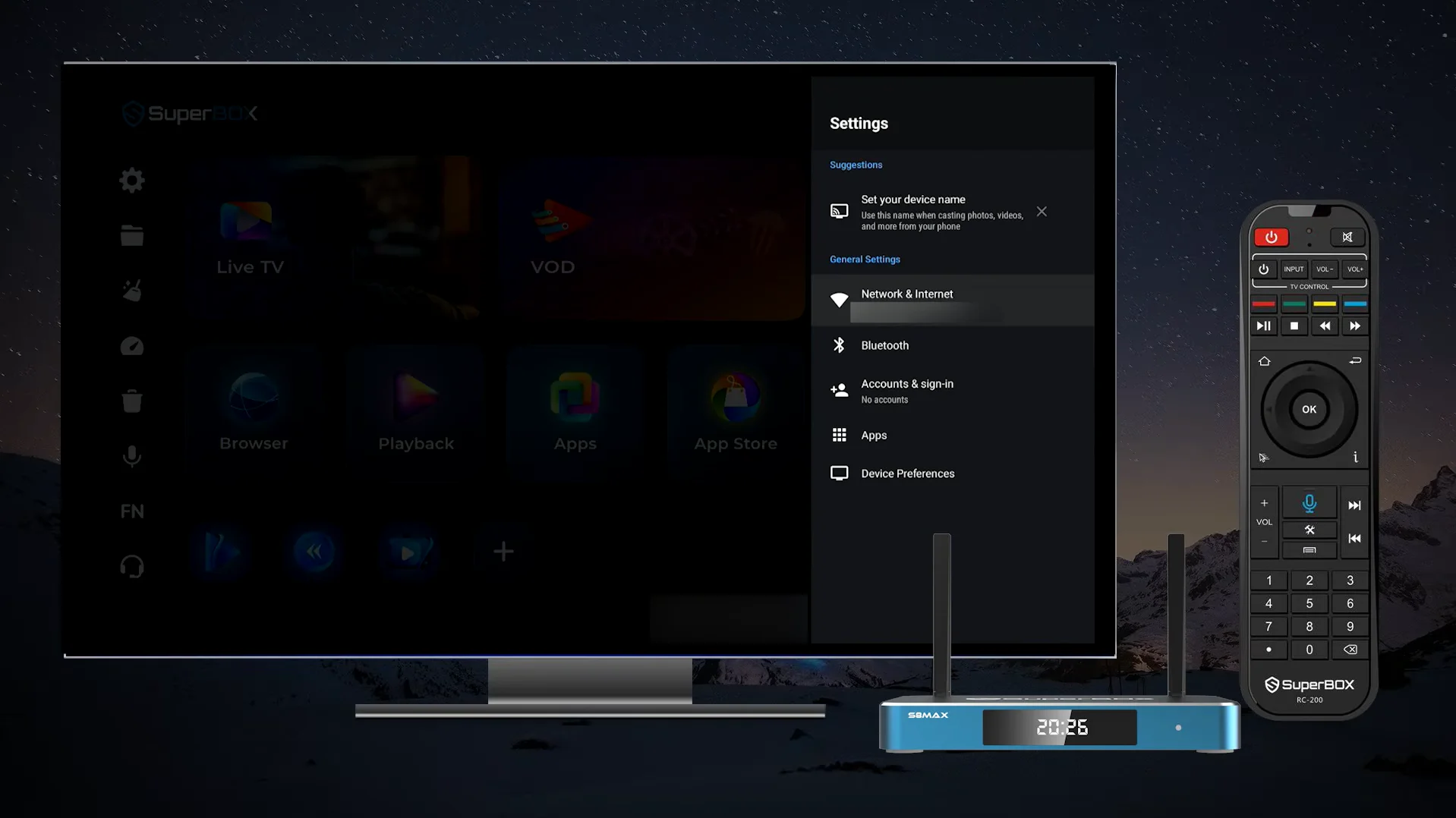
Step 1: Verify battery power and hardware readiness
Begin by ensuring fresh alkaline or rechargeable AAA batteries are properly seated in the remote control battery compartment. Low battery voltage is the primary cause of intermittent voice dropouts and failed Bluetooth handshakes.
Because Bluetooth audio streaming requires higher continuous current than simple infrared bursts, brand-new batteries prevent premature disconnections. Position yourself within five feet of the SuperBox S8 console during initial pairing to maintain maximum signal strength and eliminate environmental interference.
Step 2: Access the Android system settings menu
Power on your SuperBox S8 console and television display, allowing the main home screen launcher to load completely. Using the directional navigation arrows on the remote, move to the Settings gear icon located on the left vertical sidebar or the top utility bar of the screen. Press the OK button to enter the main Android settings interface, then select Bluetooth from the General Settings column to open the wireless accessories management screen.
Step 3: Initiate the pairing broadcast using the OK and Home keys
To broadcast the remote discovery beacon to the SuperBox console, press and hold the OK button and the Home button on the RC-200 remote simultaneously for five seconds. Keep both buttons depressed until the status LED indicator light near the top of the remote begins flashing rapidly in blue or red.
This flashing signal confirms that the Bluetooth 5.2 transceiver has entered active discovery mode and is advertising its connection credentials to nearby receivers.
Step 4: Scan and confirm the RC-200 connection on screen
While the remote LED continues flashing, the SuperBox S8 console will automatically scan for nearby wireless peripherals. Within a few seconds, an accessory entry labeled RC-200 or SuperBox Remote will appear in the available devices list on your television screen.
Use the directional keys to highlight the device name and press the OK button to initiate the pairing handshake. The console will negotiate the security keys, and the status label will shift from Pairing to Connected.
Step 5: Calibrate and test microphone responsiveness
After the pairing handshake confirms successful connection, test the voice microphone by pressing and holding the blue microphone key while speaking a simple inquiry such as Open YouTube. A translucent voice listening bar will pop up along the bottom or center of the television display, confirming that digital voice audio is transmitting smoothly. You can now operate the remote from any angle in the living room without needing direct line-of-sight pointing toward the television console.
Essential Voice Command Shortcuts for Live TV on Blue TV
Direct channel tuning by name or call sign
To jump straight to an active broadcast without opening manual channel categories, press and hold the voice button, state your target network clearly, and release the button. Viewers can state commands such as Tune to ABC East, Open Fox News, Switch to ESPN 2, Go to HBO Signature, or Watch Bravo HD.
The software identifies the matching live feed and switches the video decoder directly to the live stream without requiring you to open the full EPG channel grid first.
Tuning by broadcast channel number
When you already know the specific channel number from your printed or saved SuperBox channel lineup, voice entry operates faster than keypad typing. Viewers can speak numeric instructions such as Channel 104, Tune to 215, or Go to channel 802.
The voice engine immediately decodes the numeric string and switches the channel buffer in under a second, eliminating mistakes caused by pressing wrong numerical keys in dim lighting.
Live sports and event search commands
Finding live sports matches during busy weekend programming schedules is simplified through contextual team queries. The AI voice system recognizes team names and league affiliations across football, basketball, baseball, soccer, and hockey.
Effective sports voice searches include queries like Find Kansas City Chiefs game, Show Los Angeles Lakers live, Search Premier League soccer, or Watch UFC fight live. The system scans current broadcast metadata across all regional and national sports networks, presenting all matching live feeds on a single filtered results panel.
Mastering Voice Search Inside Blue VOD for Movies and TV Shows
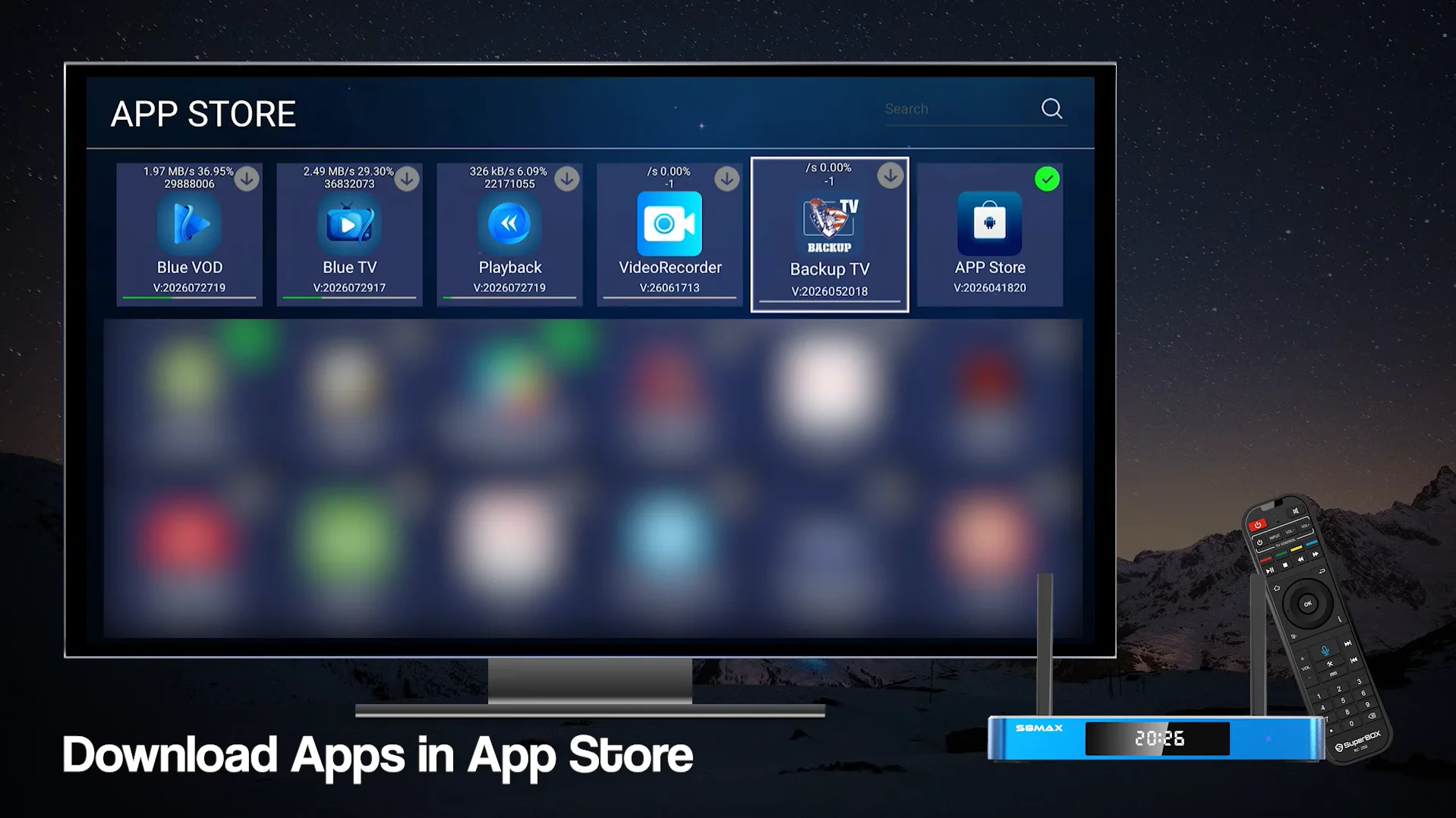
Searching by exact film or series title
When you know the specific movie or series you wish to stream, speak the complete title directly into the remote. Viewers can state phrases such as Play Dune Part Two, Open Stranger Things, Search Yellowstone Season 5, or Find Oppenheimer.
The system queries the cloud database and presents the primary title card immediately. Selecting the card opens the media detail screen with episode lists, synopsis information, and video quality selections.
Discovering content by actor and director
If you want to watch movies featuring a particular actor, you can query by name without remembering specific movie titles. Viewers can speak commands such as Show Tom Cruise movies, Find Denzel Washington films, Search Christopher Nolan films, or Movies starring Scarlett Johansson.
The search results display a dedicated filmography shelf sorted chronologically from newest release to classic library titles, allowing viewers to browse an entire career catalog with one spoken prompt.
Filtering by genre and release parameters
When you are undecided on a specific movie, you can narrow down titles by combining genre and release year criteria in natural speech. Viewers can speak natural combinations such as Show recent action movies 2025, Find horror movies in 4K, Best comedy series, or Family animated movies.
The AI engine applies multiple metadata filters concurrently, presenting only titles that match all spoken requirements without forcing you to click through numerous manual sorting menus.
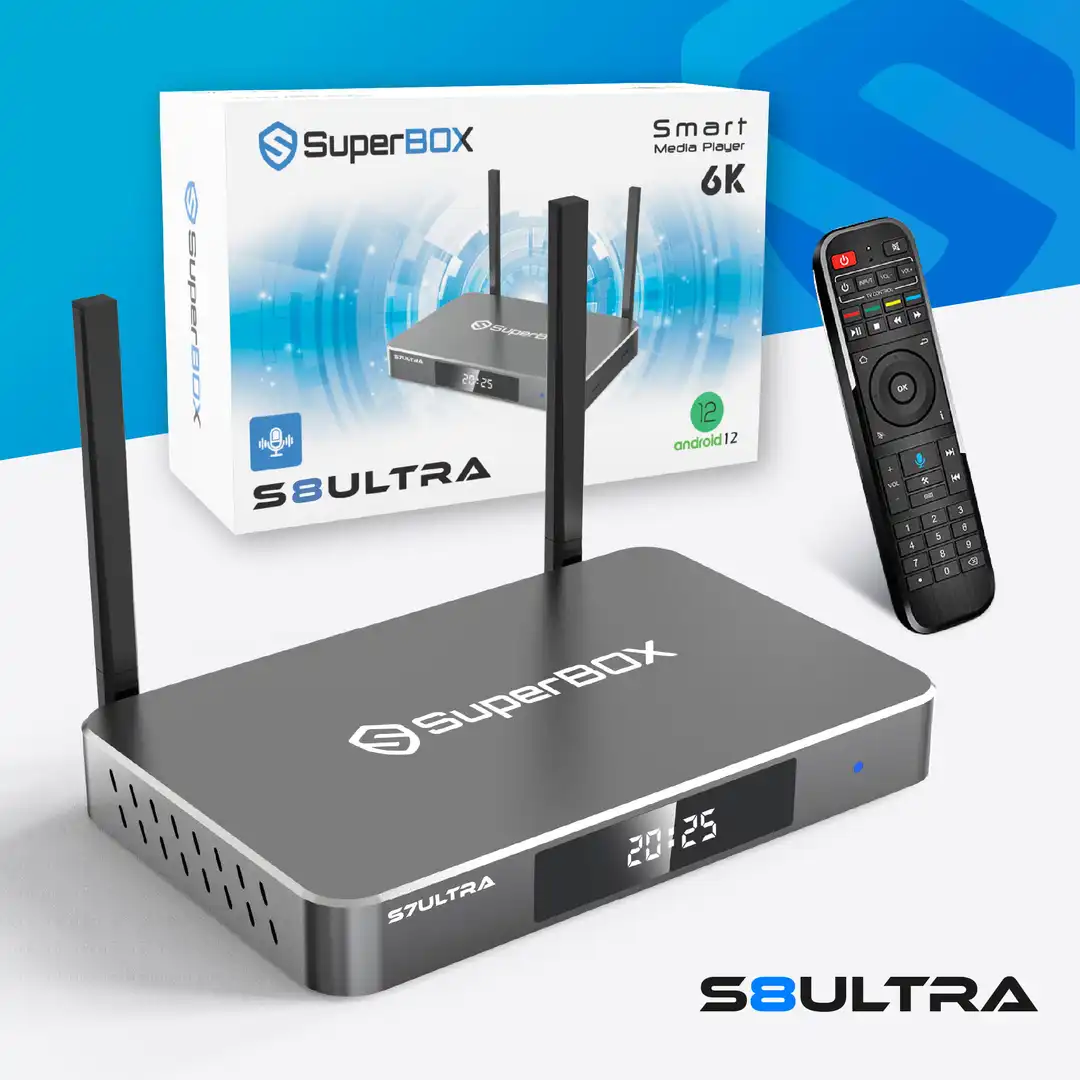 Official Flagship Model
The ultimate home entertainment player engineered with Titanium Gray Aluminum alloy, 4GB RAM, massive 128GB Storage, 1000M Gigabit Ethernet, and the exclusive RC-200 Backlit Voice Remote. Enjoy over 2,000+ Live Channels and 15,000+ Movies (VOD) with zero monthly subscription fees.
Why Buy From superboxs8.com?
We are an authorized direct distributor committed to providing authentic hardware and lifelong customer support.
System-Level Voice Controls and Utility Commands
Launching installed applications
Instead of returning to the home screen and scrolling across horizontal app grids, speak the application name directly into the controller. Spoken commands such as Open YouTube, Launch Play Store, Open Web Browser, or Open 7-Day Playback instruct the operating system to launch requested programs instantly. The operating system suspends current background tasks cleanly and brings the requested application to the foreground within one second.
Volume and audio adjustment commands
Adjusting audio output without touching volume buttons is practical during family gatherings or movie nights. Spoken phrases such as Mute audio, Unmute, Volume up, or Set volume to 50 percent allow direct audio balance adjustments. These commands communicate directly with the Android master audio mixer, scaling output decibels predictably without causing digital clipping or distortion.
In-player playback and subtitle configuration
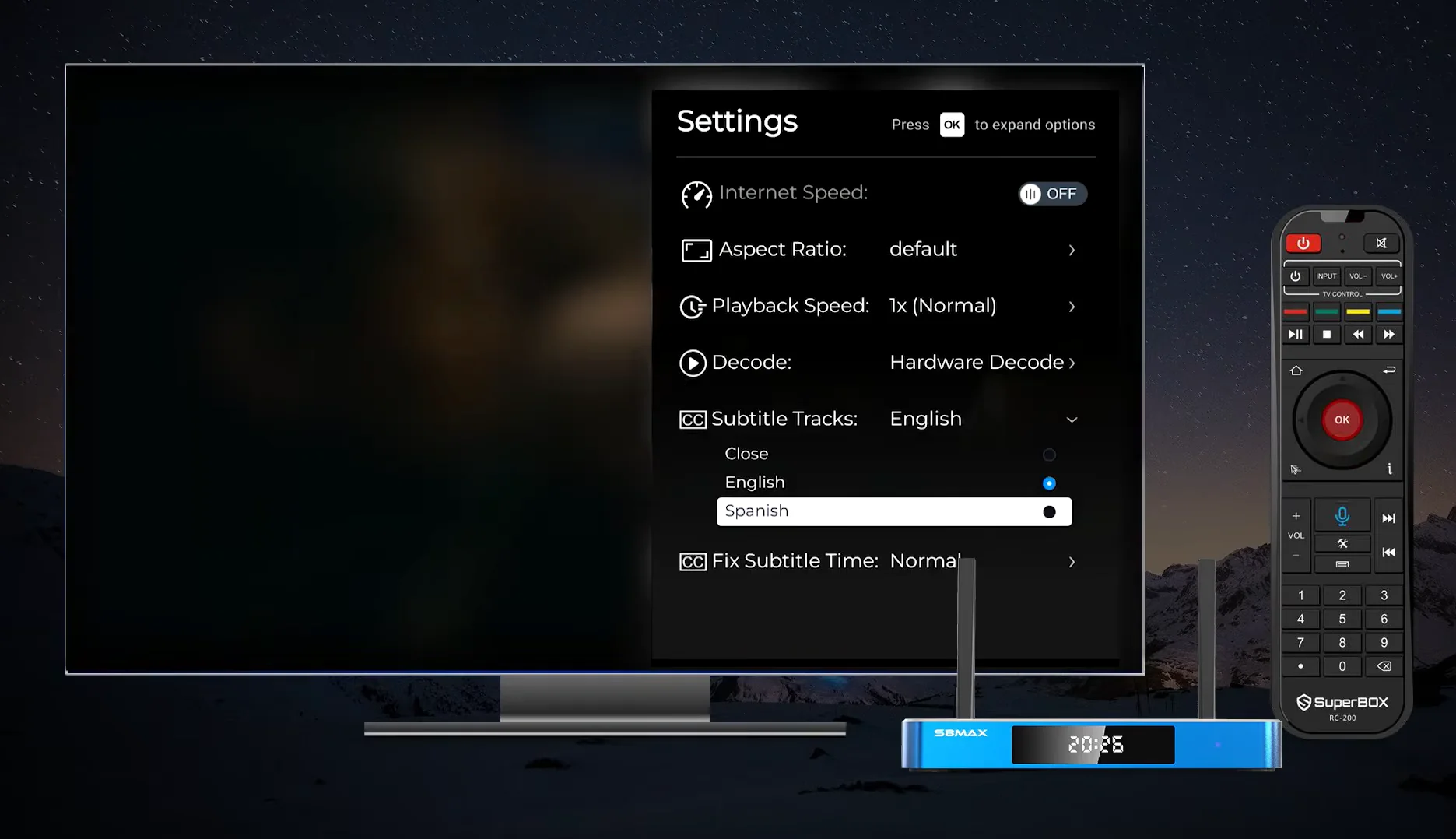
While watching movies or series inside Blue VOD, the voice remote allows viewers to modify audio and subtitle tracks without pausing or opening complex on-screen menus. Viewers can issue instructions such as Enable English subtitles, Turn off subtitles, Switch to Spanish audio, Fast forward 5 minutes, or Rewind 30 seconds. The media player interprets these transport controls seamlessly, adjusting video timestamps and track selections instantly.
Best Practices for Maximum Voice Recognition Accuracy
Achieving consistent voice recognition requires following basic acoustic and operational principles. Voice remotes utilize compact condenser microphone capsules that perform best under specific conditions.
- The optimal speaking distance for the SuperBox S8 voice remote is between two and four inches from the top microphone port. Speaking at natural conversational volume ensures optimal clarity without acoustic saturation.
- Always hold the voice key down continuously until you finish speaking your entire phrase, then release the button immediately. Releasing the button too early can cut off the end of your query before the audio buffer finishes processing.
- Minimize ambient background noise such as loud fans, open windows, or separate soundbar speakers facing directly toward the remote. High ambient volume levels can introduce acoustic interference that lowers the clarity of the recorded voice prompt.
- Speak clearly in natural conversational cadence without over-enunciating or pausing unnaturally between words. Modern natural language models are trained on real human conversational speech and achieve better recognition on flowing phrases than on stilted, robotic deliveries.
- Avoid using slang or ambiguous abbreviations when searching for regional channels. Using formal station call signs or official numerical channel designations ensures that the database matches your intent on the first attempt.
- Verify that your remote battery level remains healthy. Low battery voltage reduces microphone sensitivity and weakens the Bluetooth radio signal, causing voice recognition dropouts.
Troubleshooting SuperBox S8 AI Voice Command Issues
| Symptom or Error | Primary Root Cause | Corrective Action |
|---|---|---|
| Remote does not react to voice button | Bluetooth connection disconnected; operating in IR mode only | Re-pair remote via Settings > Bluetooth by holding OK + Home for 5 seconds |
| Voice search unavailable popup | Google Speech Services or Voice Engine app permissions disabled | Go to Settings > Apps > Permissions > Enable Microphone for System Services |
| Recognized words do not match speech | Distance too far from mic or excessive ambient soundbar noise | Hold remote 3 inches from mouth and speak toward the top aperture |
| Voice search takes over 10 seconds | Slow Wi-Fi latency or DNS resolution delay on home network | Switch to 5GHz Wi-Fi or plug in Gigabit Ethernet cable; clear app cache |
| Red LED blinks rapidly when button pressed | Depleted AAA batteries failing to power Bluetooth radio | Replace with two fresh AAA alkaline batteries |
| Search returns zero results for valid title | Typo in spoken query or title filed under international name | Use actor name or browse parent genre category directly |
Frequently Asked Questions About SuperBox S8 Voice Command
Does the SuperBox S8 voice remote work without an active internet connection?
Basic directional buttons and infrared power controls function offline, but voice recognition requires an active broadband internet connection to process spoken language against cloud media databases.
Can I use the SuperBox S8 voice command to search inside Netflix or Prime Video?
Voice commands operate primarily within the SuperBox system launcher, Blue TV, and Blue VOD. Third-party Android TV applications installed from Google Play may accept standard voice input if configured to support Android speech services.
How do I know if my RC-200 remote is connected via Bluetooth or infrared?
When connected via Bluetooth, pressing any navigation key transmits commands without pointing at the box, and a blue microphone banner appears on screen when the voice button is pressed. In infrared mode, direct line of sight is required and voice features remain disabled.
Why does my voice remote stop working after waking the box from sleep mode?
If the console enters deep standby, the Bluetooth controller can take up to three seconds to re-establish its handshake. Ensure your console firmware is updated to the latest 2026 build to keep background Bluetooth polling active.
Can I pair more than one voice remote to a single SuperBox S8?
The SuperBox S8 operating system supports multiple simultaneous Bluetooth connections, but only one active voice microphone stream can transmit to the system at any given moment.
How do I turn on the backlit keys on the SuperBox S8 Ultra RC-200 remote?
The RC-200 remote features built-in motion sensors that automatically illuminate all keys with white backlighting whenever the controller is picked up or moved in low-light environments.
What should I do if the voice command misinterprets my accent?
Speak in concise, standard sentence structures and use exact channel numbers or complete movie titles rather than colloquial phrases. Increasing speaking volume slightly also improves phonetic matching accuracy.
Can I control my television power and volume using the SuperBox S8 voice remote?
Yes. The top four buttons on the RC-200 remote include infrared learning capabilities that can copy signals from your original television remote, allowing single-remote living room control.
Does using voice commands frequently drain remote batteries quickly?
Bluetooth audio streaming consumes more power than simple infrared pulses, but quality alkaline AAA batteries provide four to six months of typical daily voice search usage before needing replacement.
Is my voice recorded and stored on external cloud servers permanently?
Audio data is processed ephemerally solely to resolve the specific search query and is discarded immediately after results are returned. SuperBox does not maintain user voice profiles or sell acoustic data.
Conclusion: Final Verdict on SuperBox S8 Voice Navigation
The SuperBox S8 AI voice command system elevates everyday television viewing by transforming a massive media catalog into an easily accessible, hands-free entertainment hub. By understanding the Bluetooth pairing workflow, learning targeted voice search syntax for Blue TV and Blue VOD, and observing microphone speaking best practices, you can navigate thousands of live channels and on-demand movies with zero frustration.
For users seeking the ultimate voice control experience, the flagship SuperBox S8 Ultra with its exclusive RC-200 backlit remote, 128GB of internal storage, and Gigabit networking delivers the fastest response speeds and most reliable recognition. To explore authentic hardware backed by our California fulfillment centers and direct customer support, visit our official product showcase at superboxs8.com today.
The article was updated on:
